PDF overlay guide
How LUONVUITUOI-CERT turns a template PDF + a student row into a downloadable certificate.
Mental model
Your template is a multi-page PDF. Each page is a blank certificate variant, one per (subject, result) combination. The engine draws the student's name / school / grade / etc. on top, at coordinates you specify in cert.config.json#layout.fields.
templates/main.pdf
├── page 1: Gold award background (no name, no school)
├── page 2: Silver award background
└── page 3: Bronze award background
                                 ↓   + overlay
                               final.pdf  (single page, with student data)
Coordinate system
Points (1/72 of an inch). Following the reportlab convention, the origin is the bottom-left corner of the page. A landscape A5 page is (842, 595); "one inch from the bottom" is y = 72.
layout.page_size in the config is a hint for authors. The renderer uses the template page's actual MediaBox, so if the two disagree, the template wins.
Orientation presets
Nothing in the engine is orientation-aware: portrait and landscape are just different MediaBox dimensions, and every coordinate is an absolute point from the bottom-left. Pick your orientation by exporting the template PDF that way; the config only holds coordinates. Common page sizes:
| Size | Portrait (w, h) | Landscape (w, h) |
|---|---|---|
| A4 | (595, 842) |
(842, 595) |
| A5 | (420, 595) |
(595, 420) |
| Letter | (612, 792) |
(792, 612) |
These are the coordinates the bundled demo-academy uses, both centered horizontally (x = page width / 2) with the QR just inside the bottom-right corner of the border.
Portrait — A4, (595, 842):
"layout": {
  "page_size": [595, 842],
  "fields": {
    "name":   { "x": 298, "y": 492, "font": "script", "size": 32, "color": "#1E3A8A", "align": "center" },
    "grade":  { "x": 298, "y": 450, "font": "serif",  "size": 16, "color": "#334155", "align": "center" },
    "school": { "x": 298, "y": 424, "font": "serif",  "size": 16, "color": "#0F172A", "align": "center", "wrap": 60 }
  }
},
"features": { "qr_verify": { "enabled": true, "x": 456, "y": 59, "size_pt": 80 } }
Landscape — A4, (842, 595):
"layout": {
  "page_size": [842, 595],
  "fields": {
    "name":   { "x": 421, "y": 302, "font": "script", "size": 32, "color": "#1E3A8A", "align": "center" },
    "grade":  { "x": 421, "y": 260, "font": "serif",  "size": 16, "color": "#334155", "align": "center" },
    "school": { "x": 421, "y": 234, "font": "serif",  "size": 16, "color": "#0F172A", "align": "center", "wrap": 60 }
  }
},
"features": { "qr_verify": { "enabled": true, "x": 703, "y": 59, "size_pt": 80 } }
Rendered both ways (prepare_demo.py generates the templates; run the portrait twin with lvt-cert dev --config cert.config.portrait.json):
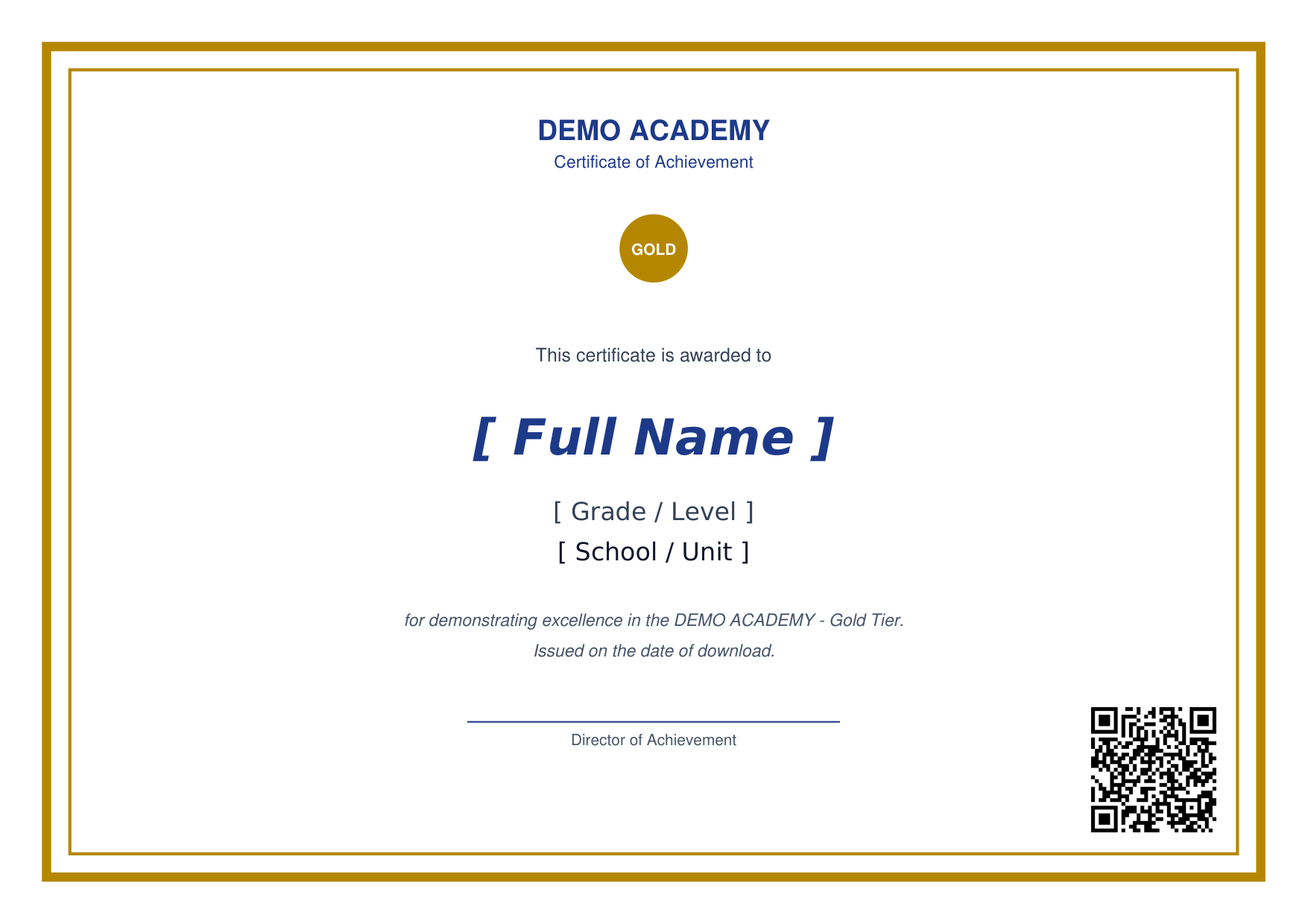
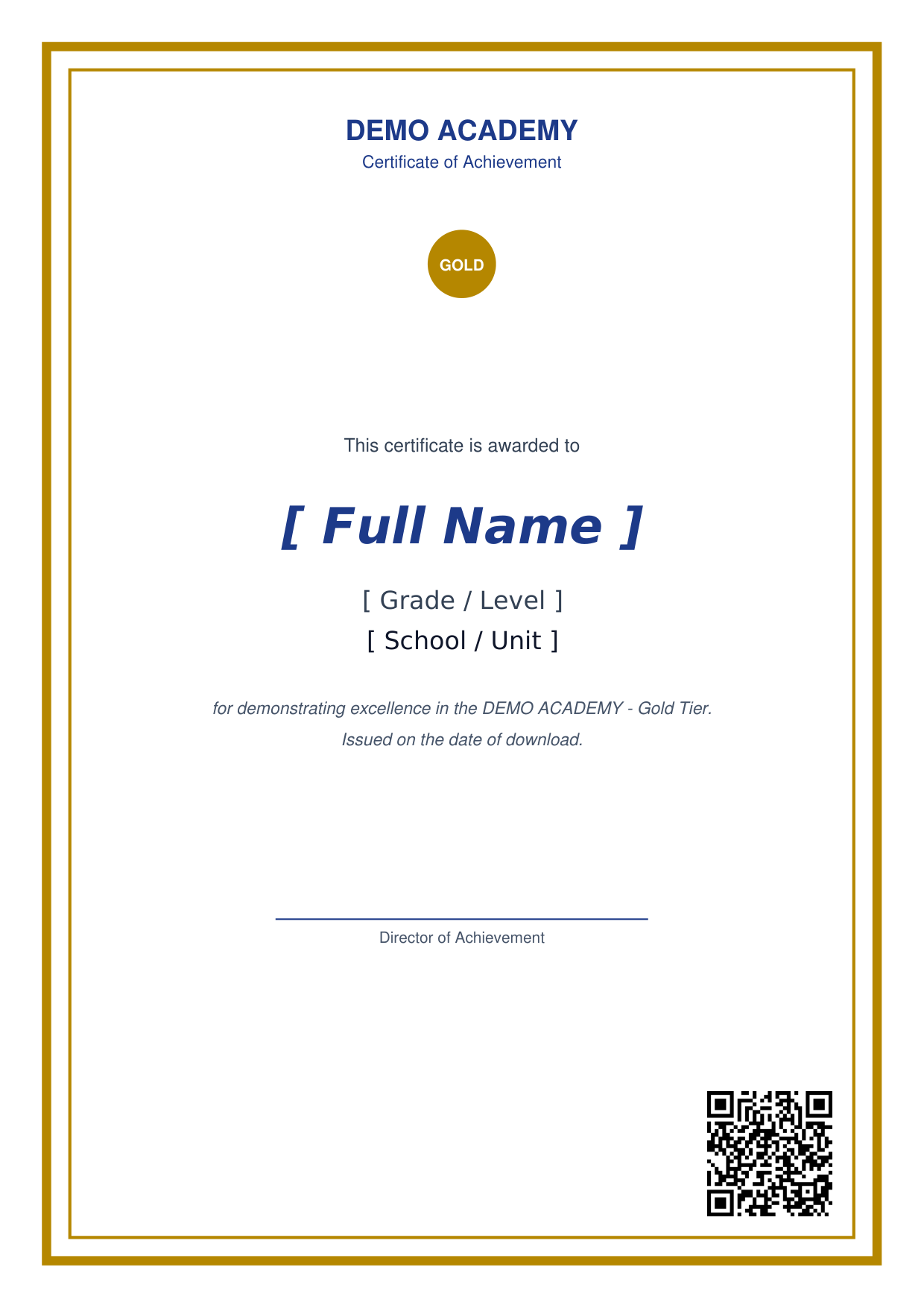
These are starting points, not exact drops for your template. Follow the authoring workflow to fine-tune against your own background.
Field spec
"fields": {
  "name": {
    "x": 421, "y": 330,
    "font": "script",
    "size": 44,
    "color": "#1E3A8A",
    "align": "center"
  },
  "school": {
    "x": 421, "y": 265,
    "font": "serif",
    "size": 18,
    "align": "center",
    "wrap": 60
  }
}
| Key | Meaning |
|---|---|
x, y |
Position of the text baseline. For align: center / right, x is the center/right edge. |
font |
Key into the top-level fonts registry. |
size |
Font size in points. |
color |
Hex string; default #000000. |
align |
left, center, right. |
wrap |
Optional int. Triggers naive word-wrap at the given char count. Multiline text flows downward from y using 1.2× leading. |
Field names
The built-in fields the engine populates from data_mapping:
| Layout field | Source |
|---|---|
name |
data_mapping.name_col |
dob, school, grade, phone |
matching data_mapping.*_col if declared |
Anything in data_mapping.extra_cols |
same-name DB column |
Fields declared in layout.fields but not filled by the handler are skipped silently; extra values in the handler dict that don't match any layout field are dropped. This means adding a new column to your source Excel and declaring it in data_mapping.extra_cols is enough to make it renderable, with no handler change required.
QR placement
features.qr_verify.{x, y, size_pt} specifies where the signed QR is drawn. Coordinates are the bottom-left of the QR square; size_pt is the side length. A common placement is the bottom-right corner:
Authoring workflow
- Design the blank template in your tool of choice (InDesign, Figma → PDF, LibreOffice, Canva). One page per award cell.
- Open the PDF in a viewer that shows coordinates (Preview on macOS, most PDF editors, or drop it into reportlab to draw crosshairs at known positions).
- Eyeball the baseline of where you want the name to sit. Try
"y": page_height / 2, then adjust by ±10 points until it looks right. - Run
lvt-cert devand hit/with the seeded student; download the PDF and inspect. - Iterate coordinates until the layout lands.
Input safety
- A single field value is capped at 1000 characters (
MAX_FIELD_LENGTH). Oversize input raisesOverlayErrorso a malicious DB row can't balloon the rendered PDF. - Whitespace-only values are skipped (no blank overlays).
- Non-string values are coerced via
str()after length-check. Numbers, booleans, and similar values render as their string forms.
Fonts
Ship TrueType fonts whose license permits redistribution (SIL OFL, Apache 2.0, etc.). Place the .ttf at the path declared in fonts.<key>; the registry registers the font with reportlab on first use and caches by resolved path so two projects in the same process using the same key but different files don't collide.
What the engine does not do
- No vector shapes / CSS-style layout. The PDF is the design; the engine only overlays text.
- No PDF form-field filling. Use the template-as-background approach.
- No hyphenation.
wrapbreaks on spaces only. - No image overlays beyond the QR. Drop logos into the template itself.
For multi-page certificates or watermarking, post-process the engine output with pypdf in a custom handler.